Your inventory. Their next game night.
List the games, pre-orders, and accessories on your shelves. Local players reserve to pick up at the counter. No payment processing on the platform, no marketplace cut, no extra fee — it's included with your LGS subscription.
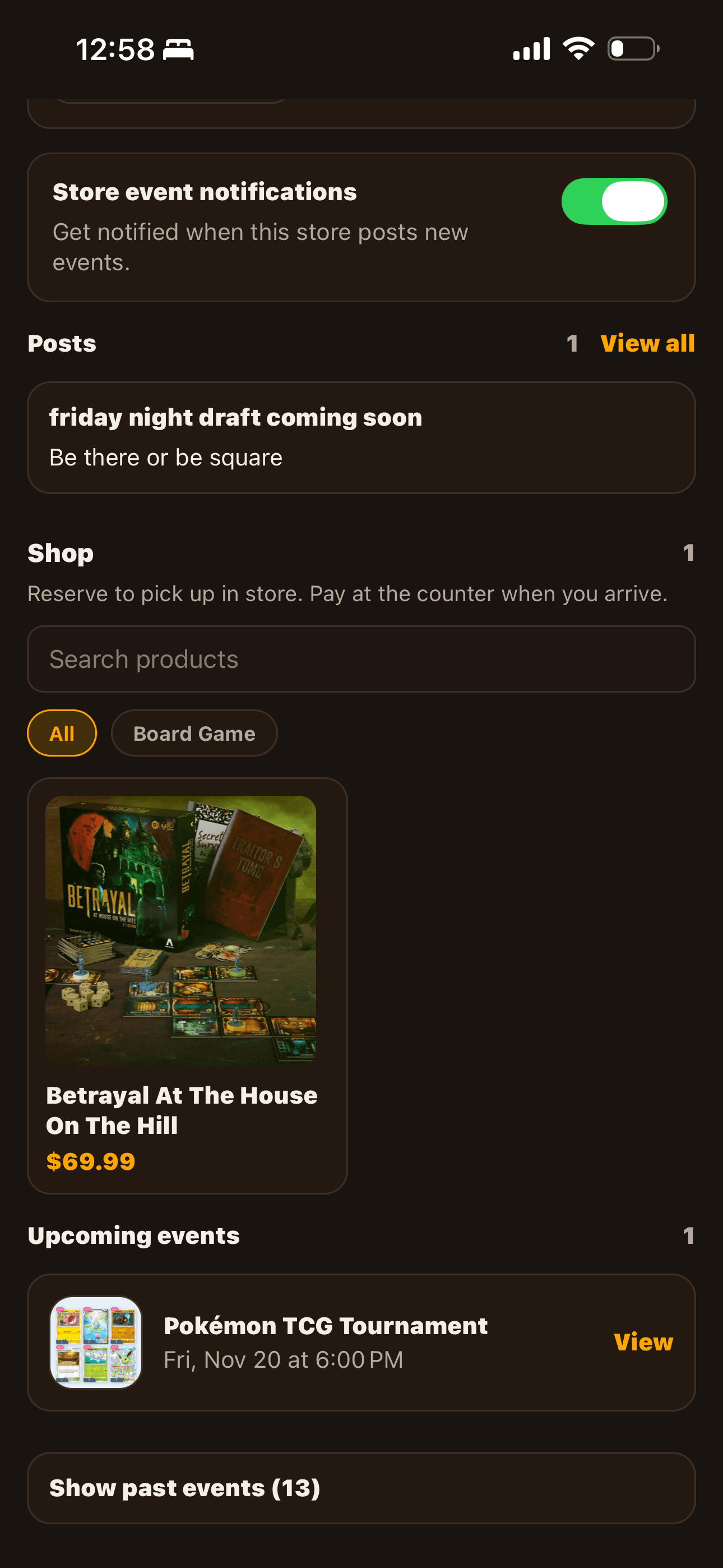
In-stock items, ready to reserve
List what's on the shelf right now. Players see a clear stock count and a Reserve button. You see a clean queue of who wants what, with their name and phone attached.
Pre-orders for hot new releases
Flag a product as pre-order with an expected release date. Players reserve before it lands. Your day-one stock is already promised — no scramble, no over-ordering.
Per-item reservation limits
Got 6 copies of a hot new title and don't want one person holding them all? Cap the number of open reservations on that product. The Reserve button locks out once the cap is hit.
Contact info on every hold
Players submit their name and phone number with each reservation. Your queue shows them on the card — tap to call. No more 'who was holding this again?'
Auto-expiring holds
When you confirm a reservation, set the hold window (default 48 hours). Past that, the hold expires automatically and the slot opens up. Pending requests that sit for 7 days expire too.
Live notifications
New reservations push to your team. Players get pushed when you confirm, mark ready for pickup, or cancel. Everyone knows where things stand without sending a single email.
Two taps from interested player to confirmed hold.
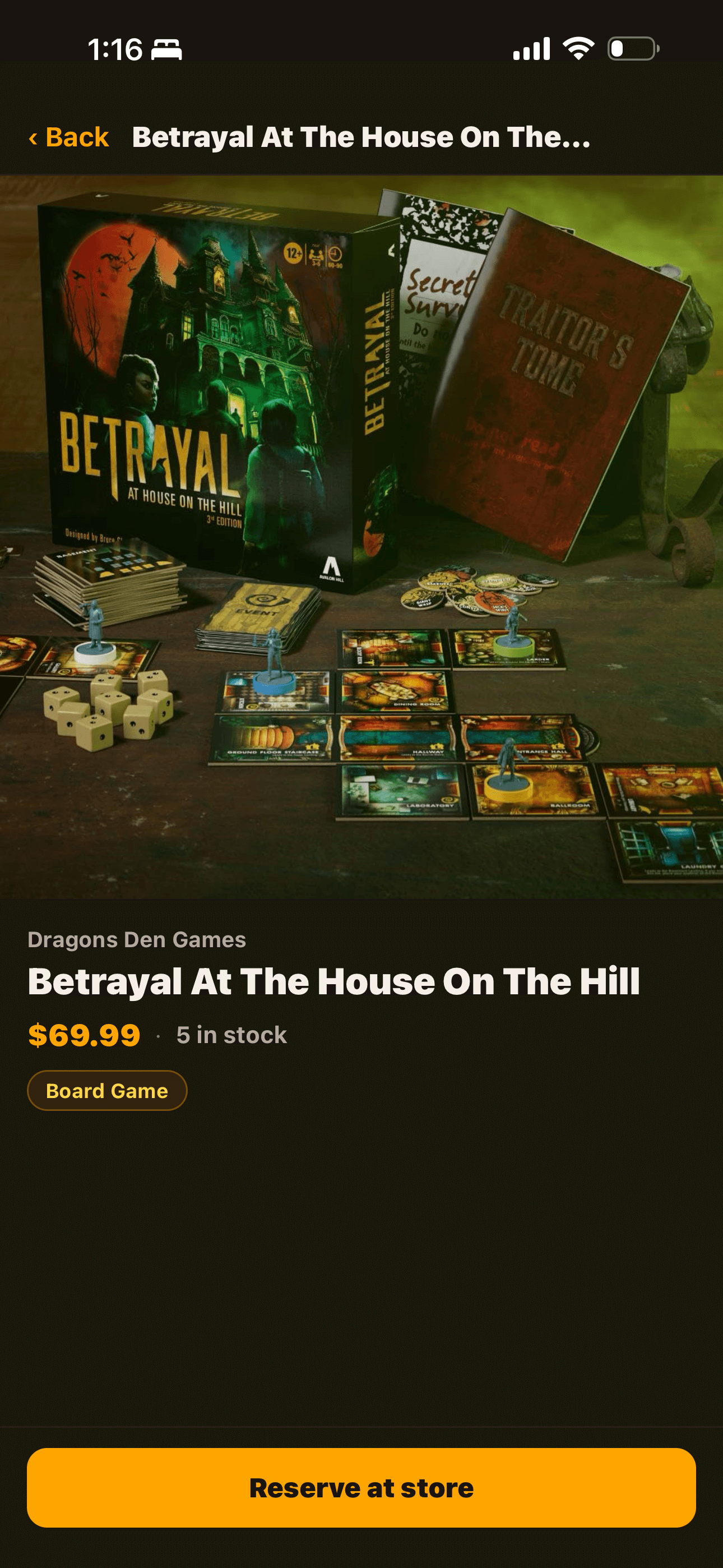
Product detail with price, stock, pre-order status, and reservation cap visible up front.
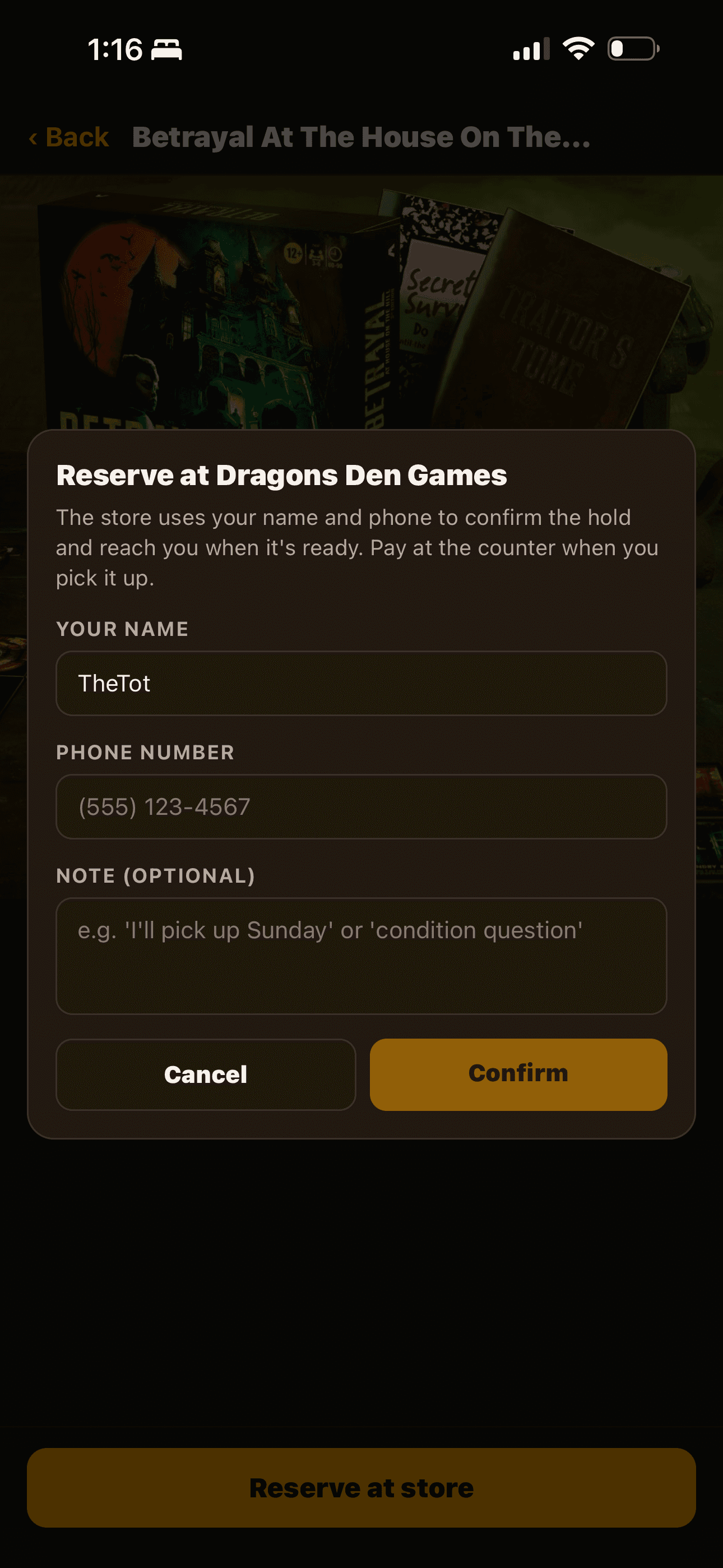
Players confirm with their name, phone, and an optional note. Phone autofills from their last reservation.
Not a marketplace. A reservation system.
We deliberately left payment processing out of v1. Here's why that matters for your store:
No 2.9% + 30¢ payment processor cut. No 1-3% marketplace fee on top. Players pay at the counter the way they always have.
No KYC paperwork, no banking onboarding, no payout schedule to manage. Subscribe to the LGS plan and start listing the same day.
The transaction never enters AleaMeep. You ring it up at your POS like a normal sale — same tax treatment, same receipt, same inventory flow.
No payment means no payment disputes. If a player flakes on a confirmed hold, you just open the slot back up and move on.
If demand is there, we'll add optional deposit holds via Stripe Connect in a later tier — but as a per-store opt-in, never a default. Your business model stays yours.
What it unlocks
Show up in search
Players browsing your local-stores directory now see a product count on your card. A real reason to tap in beyond the events calendar.
Lock in day-one sales
Hot new release dropping next month? Reservations open as soon as you list it. By release day you already know your floor.
Bring regulars in
A confirmed reservation is a planned trip to your store. Players come in for the pickup, browse for 20 minutes, leave with two more things.
Setting up the shop
From LGS Manage → Overview → Shop card → Manage shop. Two tabs: Products and Reservations.
Title, description, price, stock count, category. Up to 5 photos per product. Toggle pre-order with a release date. Set a reservation limit if it's a hot item.
Active products show up in the Shop section of your public store page and in the full Browse all surface. Players within 50 miles can find and reserve them.
New reservations land in the Reservations tab. Tap Confirm (sets the hold window), then Mark ready when it's on the shelf, then Picked up when they show up. Each step pushes a notification to the player.
Ready to list your first product?
Already on the LGS plan? Open Manage → Shop on your phone. Otherwise, subscribe in the mobile app — same account you'd use as a player.